
How can we help?
Start with the guide that matches your eSIM. Most setup and connection issues can be fixed in a couple of minutes.
Can we help you with a New Zealand eSIM or another country eSIM?
Which New Zealand eSIM do you have?
Choose the plan type from your order so we can show the right guide before you write to us.
New Zealand eSIM help
International eSIM help
Having difficulty installing your eSIM?
We have made an eSIM install guide that covers your brand of phone. Please take the time to find your phone brand in the guide and go through the attached steps.
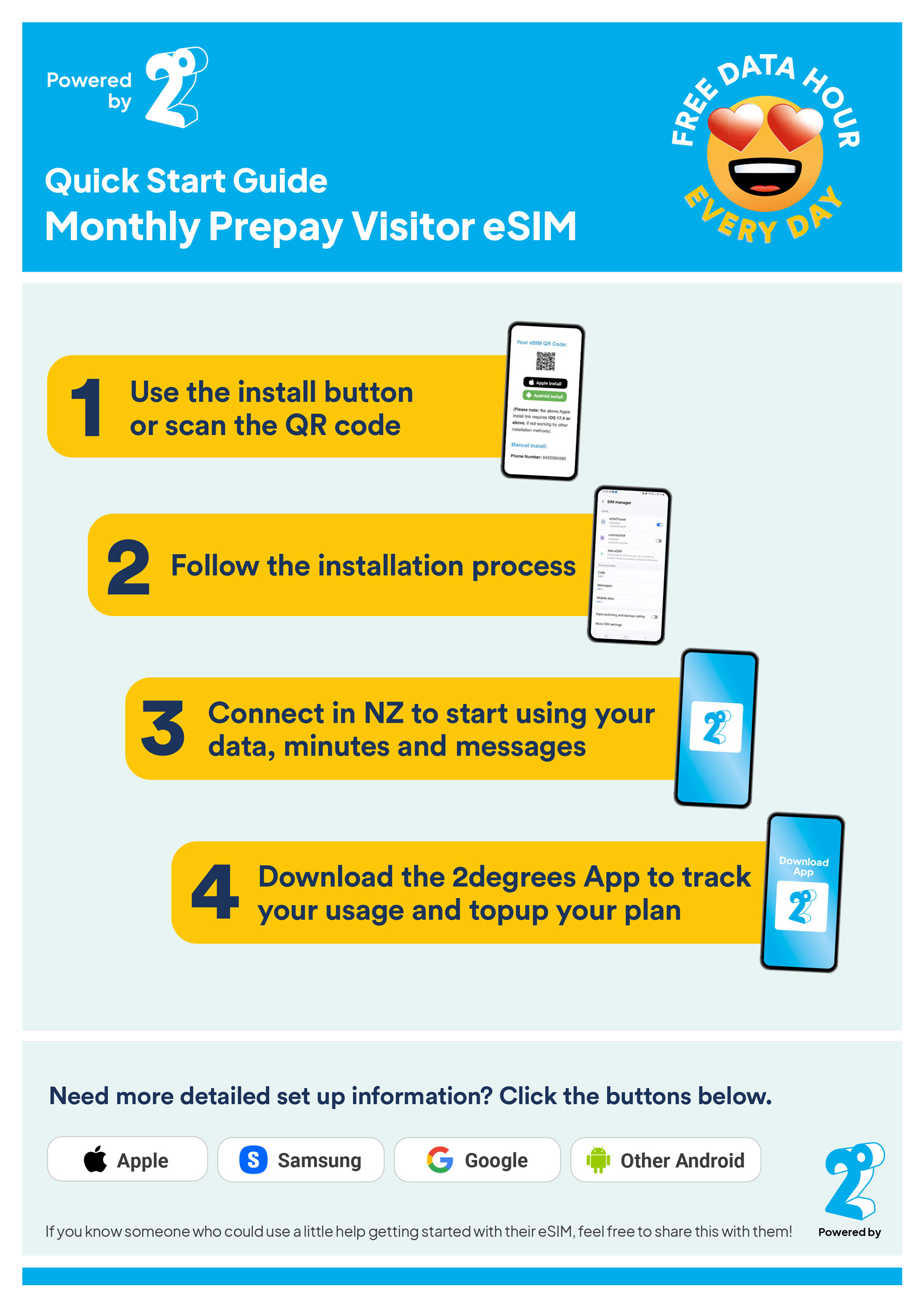 New Zealand 2degrees Monthly
Having difficulty installing your eSIM?
We have made an eSIM install guide that covers your brand of phone. Please take the time to find your phone brand in the guide and go through the attached steps.
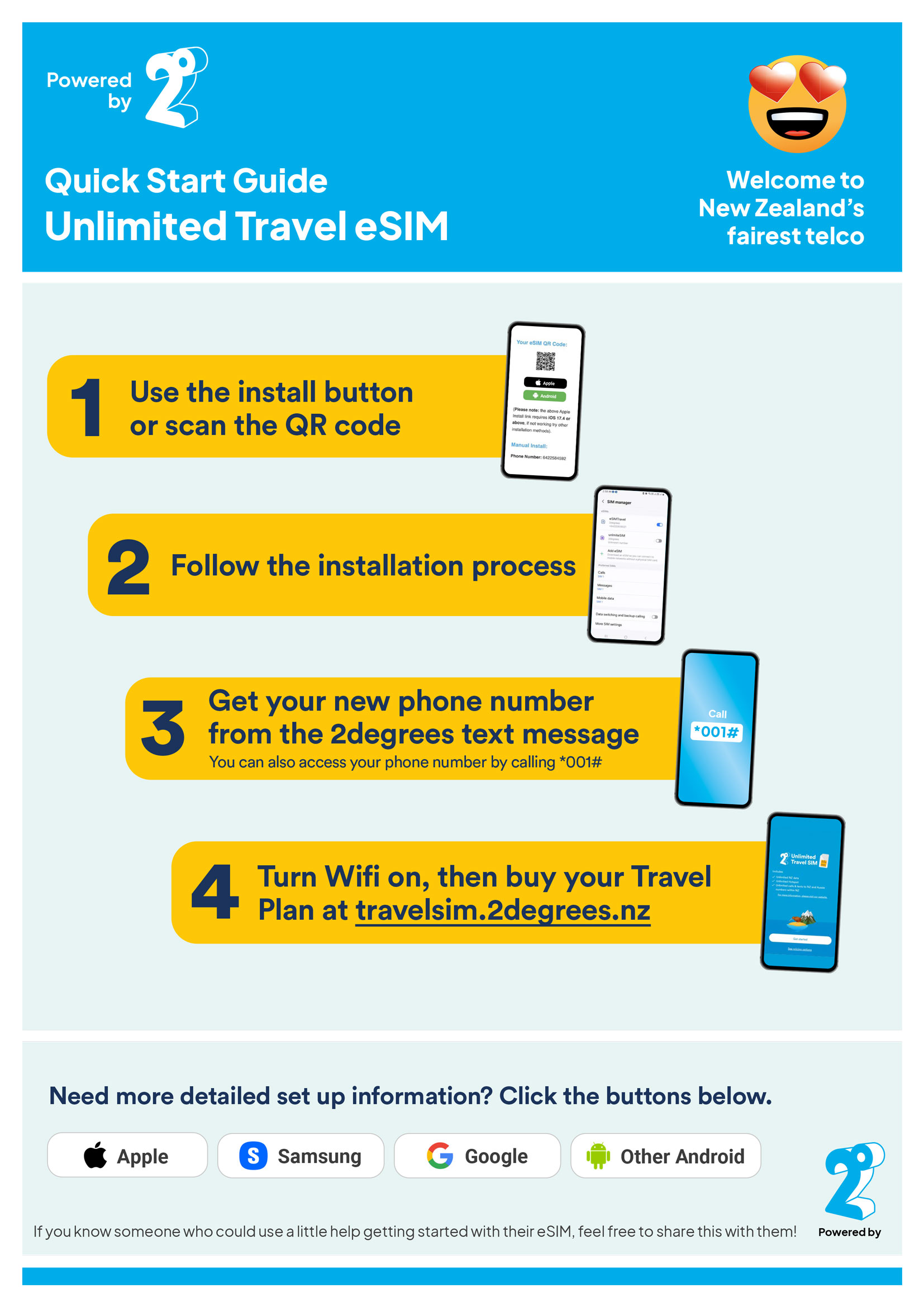 New Zealand Unlimited
Having difficulty installing your eSIM?
We have made an eSIM install guide that covers your brand of phone. Please take the time to find your phone brand in the guide and go through the attached steps.
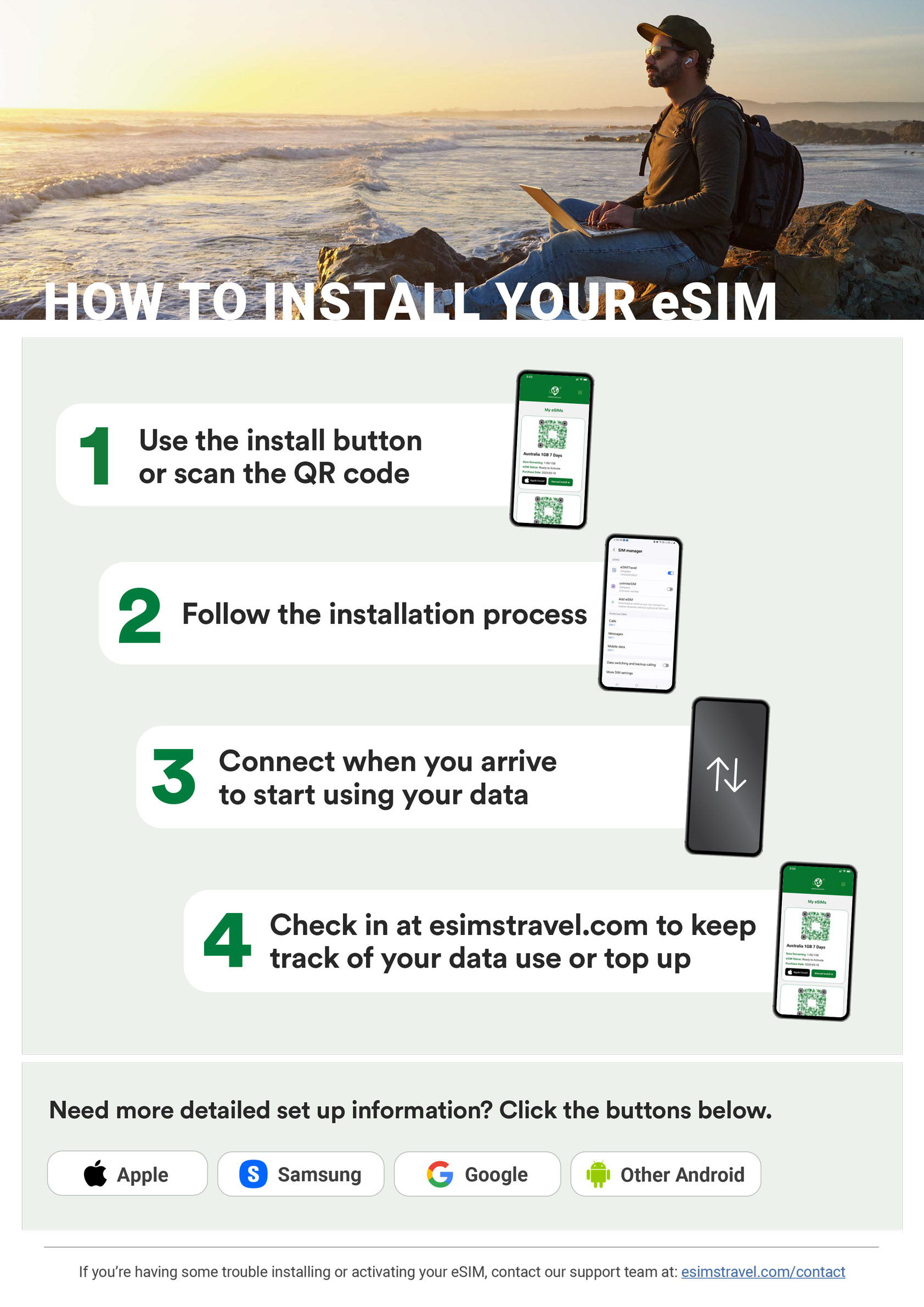 All eSIMs (except for New Zealand)
Common issues + fixes
Please check your spam and junk folders first, as order emails can sometimes be filtered there.
If you still cannot find the email, your eSIM is always available by logging into the site and going to My eSIMs .
Open the install guide above and follow each step in order. If the QR code has already been scanned, do not delete the eSIM from your phone before contacting us.
Check that mobile data is enabled for the eSIM, data roaming is switched on, and your phone is not still using your home SIM for mobile data. Restart your phone after changing these settings.
Your phone must be unlocked and eSIM compatible. If you are not sure whether your phone supports eSIM, a quick online search of your phone model should confirm it.
New Zealand eSIMs can only be installed and activated once you are in New Zealand. After you arrive in New Zealand, install and activate the eSIM, and the plan will start from that activation.
Most travel eSIMs start when they first connect to a supported network in the destination country. New Zealand visitor eSIMs may have plan-specific activation steps in the guide above.
This is relevant if you purchased a NZ 2degrees eSIM and set up autopay through the app or website. Autopay is not automatically turned on.
PDF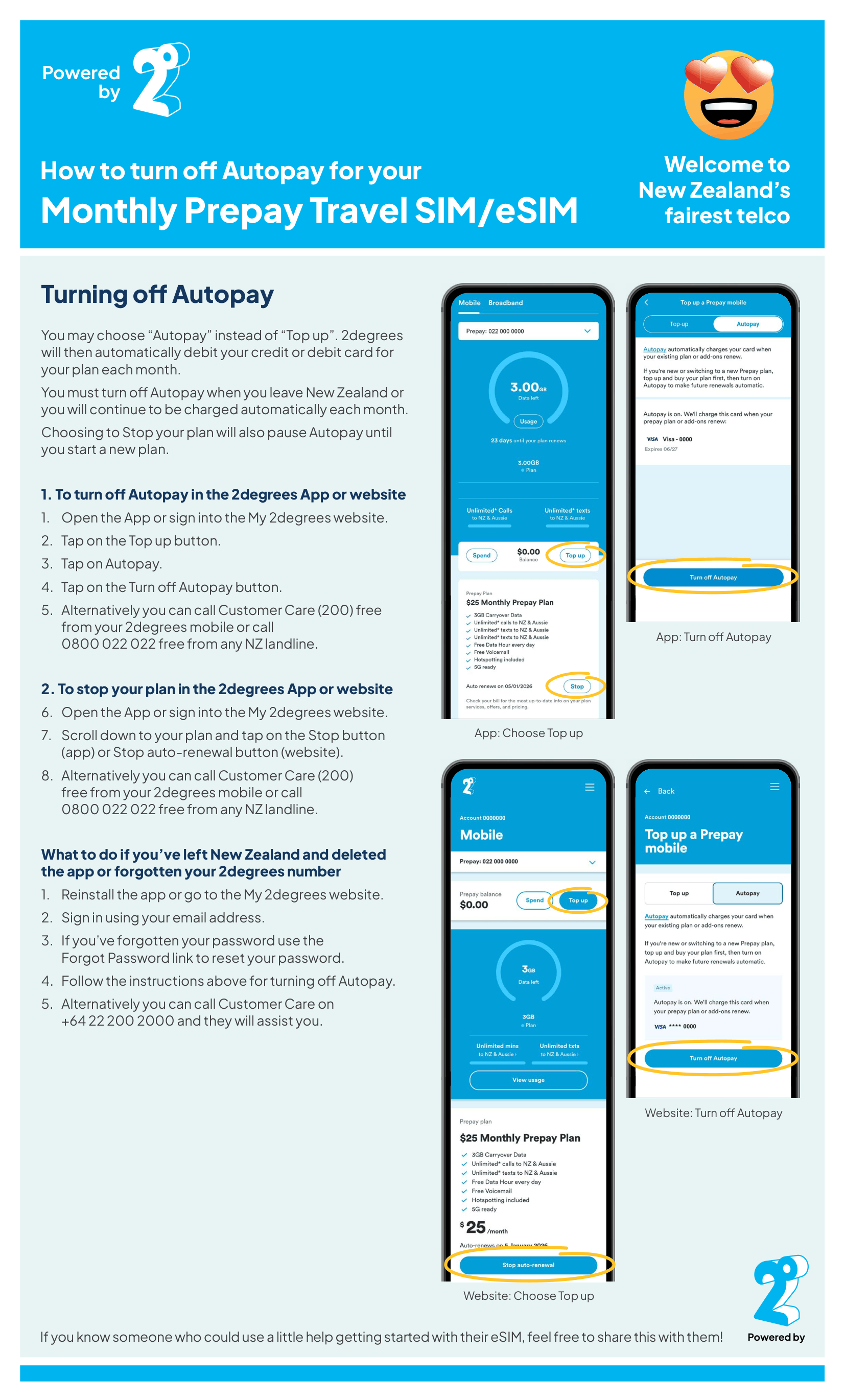 Autopay guide
More questions and answers are available in our FAQs .
Installed your New Zealand eSIM but still having trouble activating or using it?
Before writing to us, please contact 2degrees directly for activation and network help.
- If you are in New Zealand and calling from a 2degrees phone, call the toll-free number 200
- If you are calling from a non-2degrees SIM or eSIM, call the toll-free number 0800 022 022
- If you are overseas, call +64 22 200 2000
2degrees phone support is available Monday to Saturday, 8am to 8pm NZST, and Sundays and public holidays, 10am to 8pm NZST.
You can also visit a local 2degrees store for help. Store finder: 2degrees store locator
Have we still not solved your answer?
If you have tried the guide and the common fixes above, send us the details and our team will take a look.
Contact support
Tell us what happened, what phone you are using, and any error message you can see.
Thanks, we have received your request.
Our team will reply as soon as possible.